
ExperienceBank Notification Center – Overview
This article explains how suppliers can use the ExperienceBank Notification Center to stay informed about reports, booking issues, and mapping issues.
The Notification Center helps you proactively monitor important operational updates and quickly react to potential problems that may impact bookings or OTA connectivity.
How to Access the Notification Center
- Log in to ExperienceBank
- Navigate to Settings in the main menu.
- Click on Notifications.
- The Notification Center page will open, where you can:
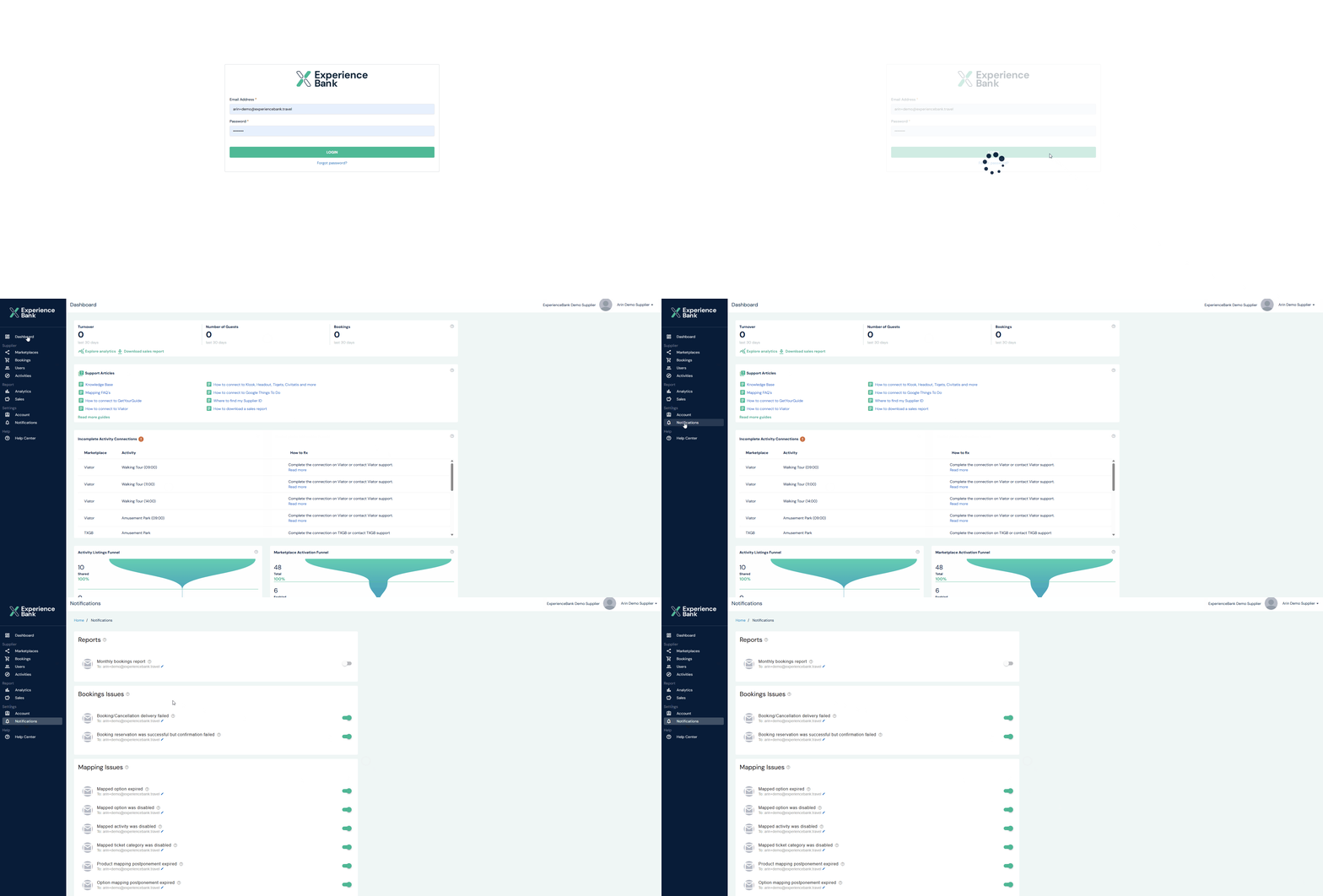
Note: -You can configure multiple email addresses for each notification type.
Notification Categories
The ExperienceBank Notification Center is divided into three main sections:
- Reports
- Mapping Issue
- Booking Issue
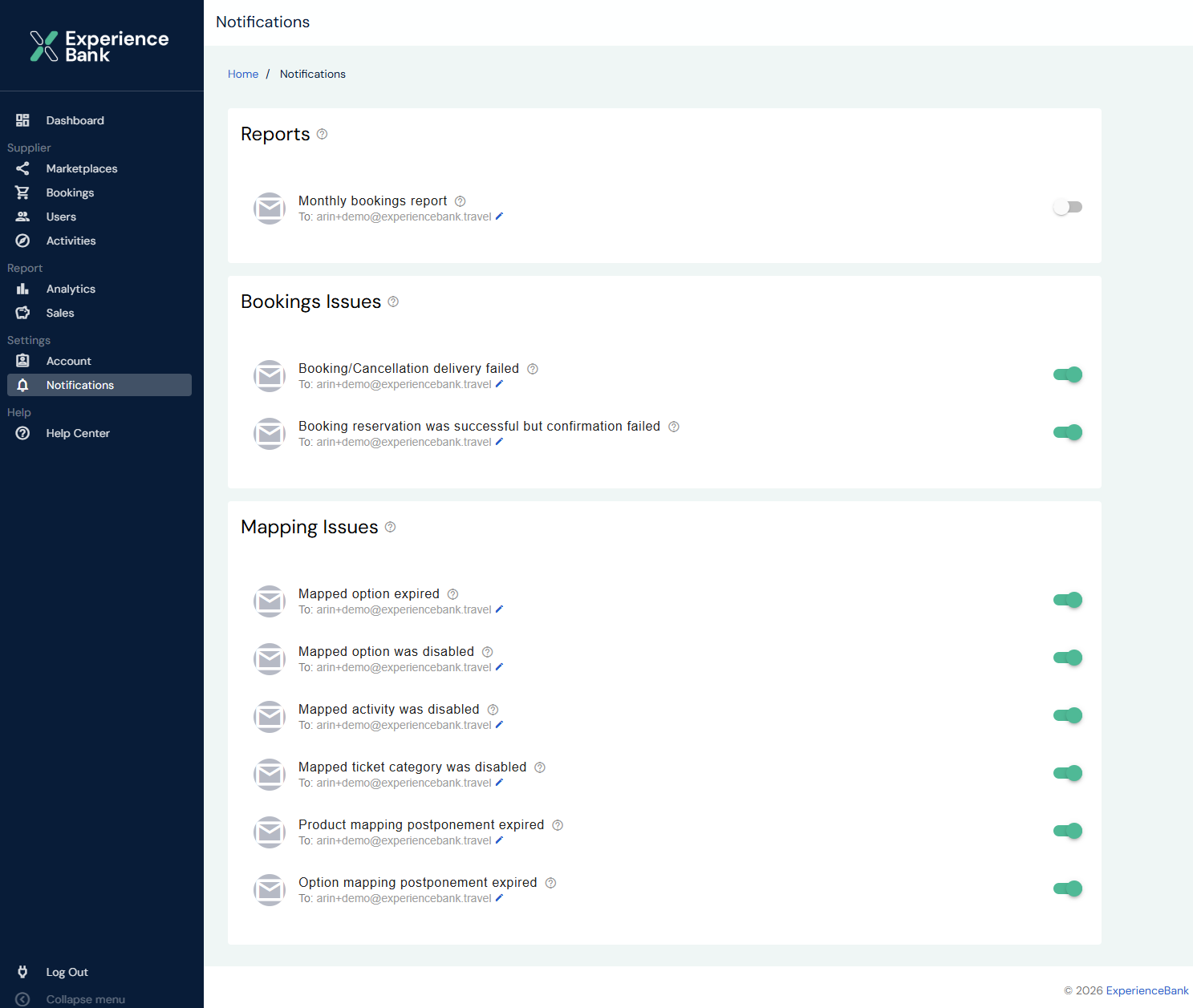
Reports
These notifications help you stay updated with bookings data.
Monthly Bookings Report
You will receive a monthly OTA bookings report in CSV format containing all bookings for activities that took place during the previous month.
- Sent on the last day of each month
- Sent to the configured email addresses
- Multiple email recipients can be added using the Edit button
- Notification must be enabled using the toggle button
Booking Issues
These notifications alert you when booking or cancellation deliveries fail between marketplaces and your reservation system.
Booking / Cancellation Delivery Failed
You will receive this notification when a booking or cancellation could not be delivered to your booking system due to technical or connectivity issues.
Reservation Successful but Confirmation Failed
You will receive this notification when:
- he reservation was created successfully, but
- The marketplace failed to complete the booking confirmation
⚠ In this case, the booking may exist only on the marketplace side and not in your booking system.
It is recommended to verify the booking directly in the marketplace when this notification is received.
Mapping Issues
These notifications alert you about issues that may break or impact OTA mappings (e.g., GetYourGuide, Viator, Expedia).
Mapped Option Expired
Triggered when a mapped option expires in the booking system and no other active mapped options are available.
Mapped Option Disabled
Triggered when a mapped option is disabled or deleted in the booking system and no other active mapped options are available.
Mapped Activity Disabled
Triggered when a mapped activity is disabled or deleted in the booking system.
Mapped Ticket Category Disabled
Triggered when a mapped ticket category is disabled or deleted in the booking system.
Important Notes
- You can add multiple email addresses for each notification type.
- Notifications can be enabled or disabled using toggle buttons.
Terminology Differences Across Systems
Options may also be called:
- Schedules
- Departure Times
- Start Times
Activities may also be called:
- Products
- Tours
- Experiences
Ticket Categories typically include:
- Adult
- Child
- Infant
- Senior
- Youth